⚡
Dual-Pane Productivity
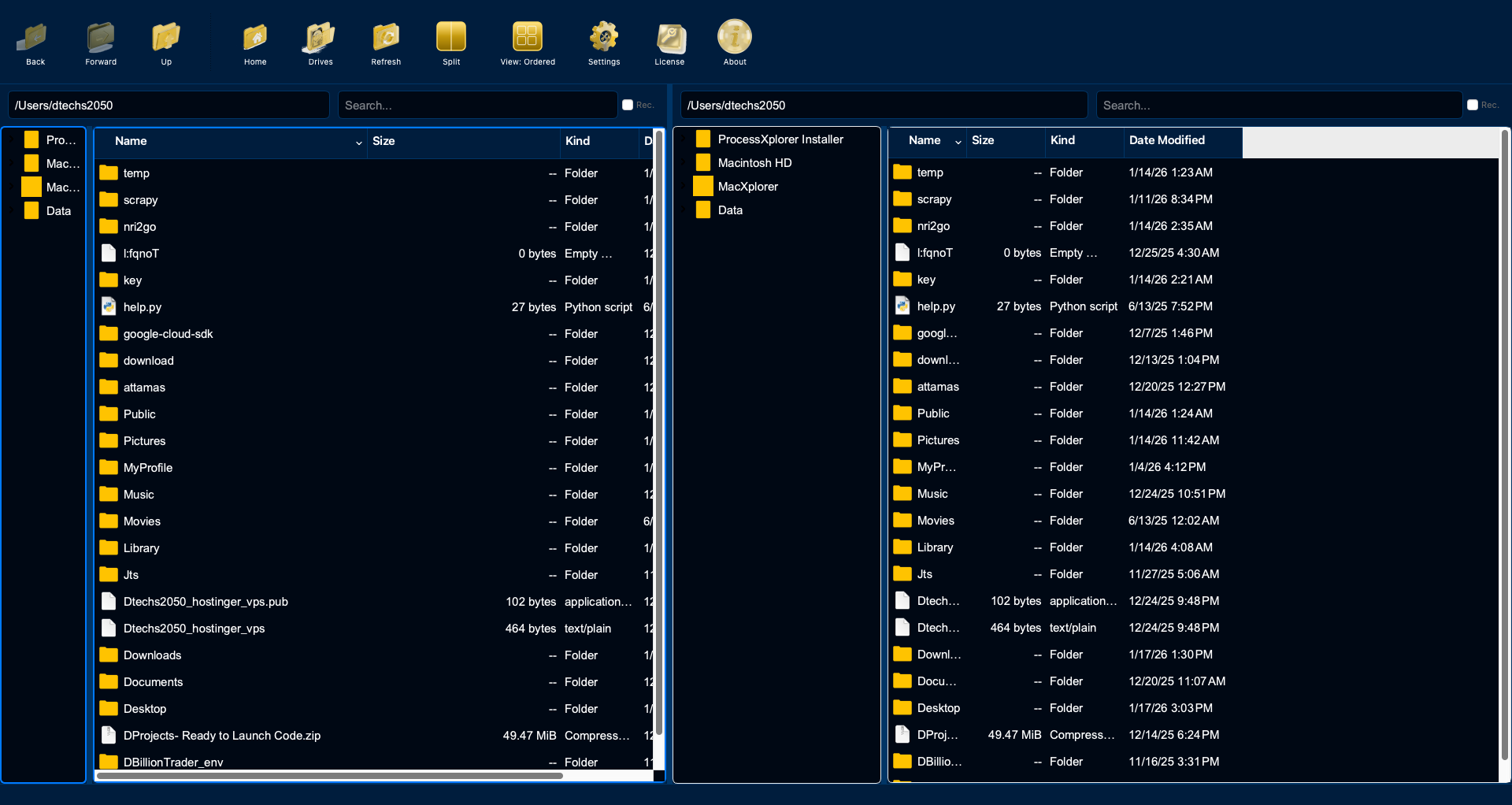
Split-view interface with independent navigation in each pane. Transfer files effortlessly between
folders without juggling multiple windows. Quick toggle between single and dual-pane modes.
🎨
4 View Modes
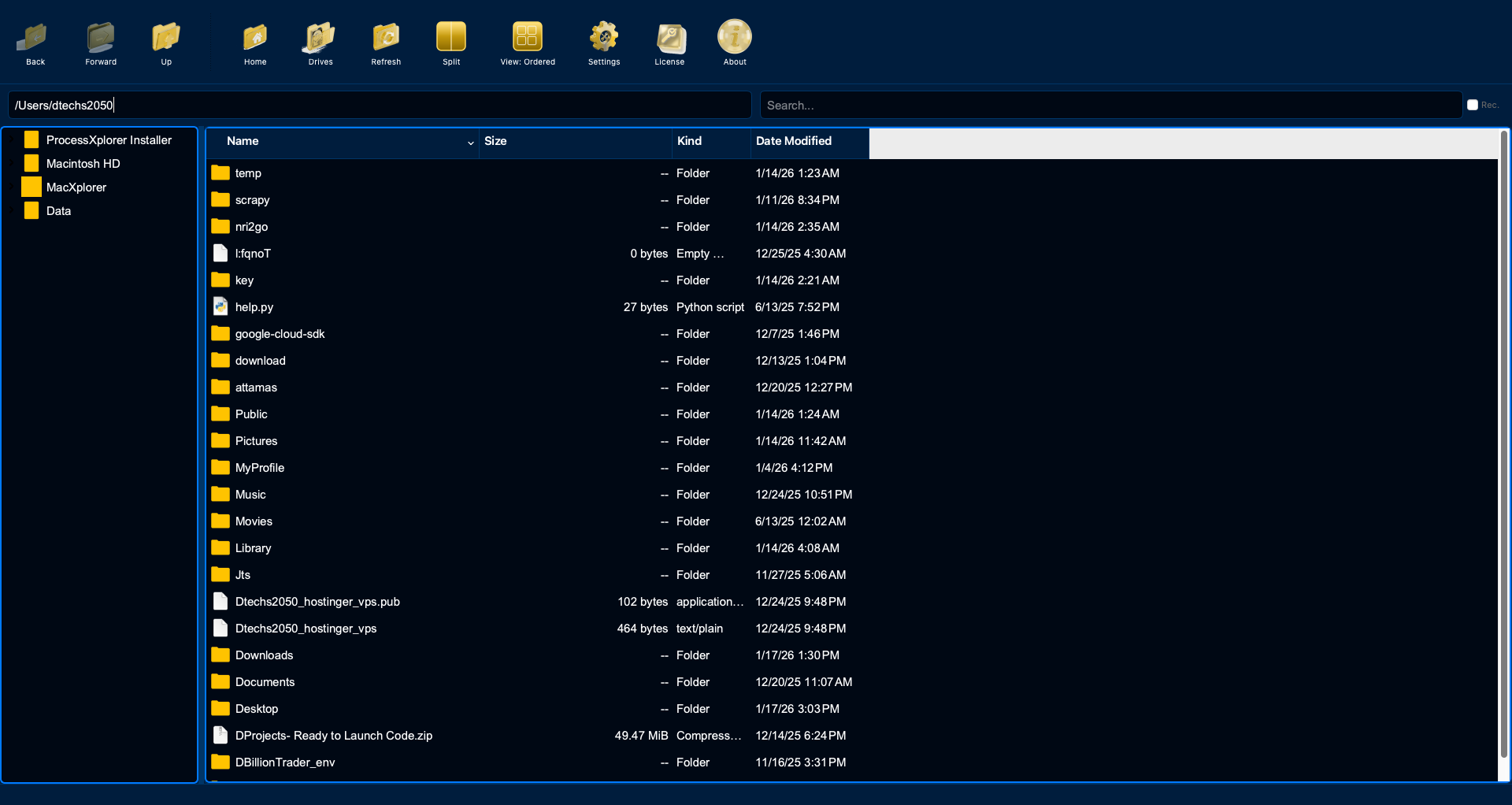
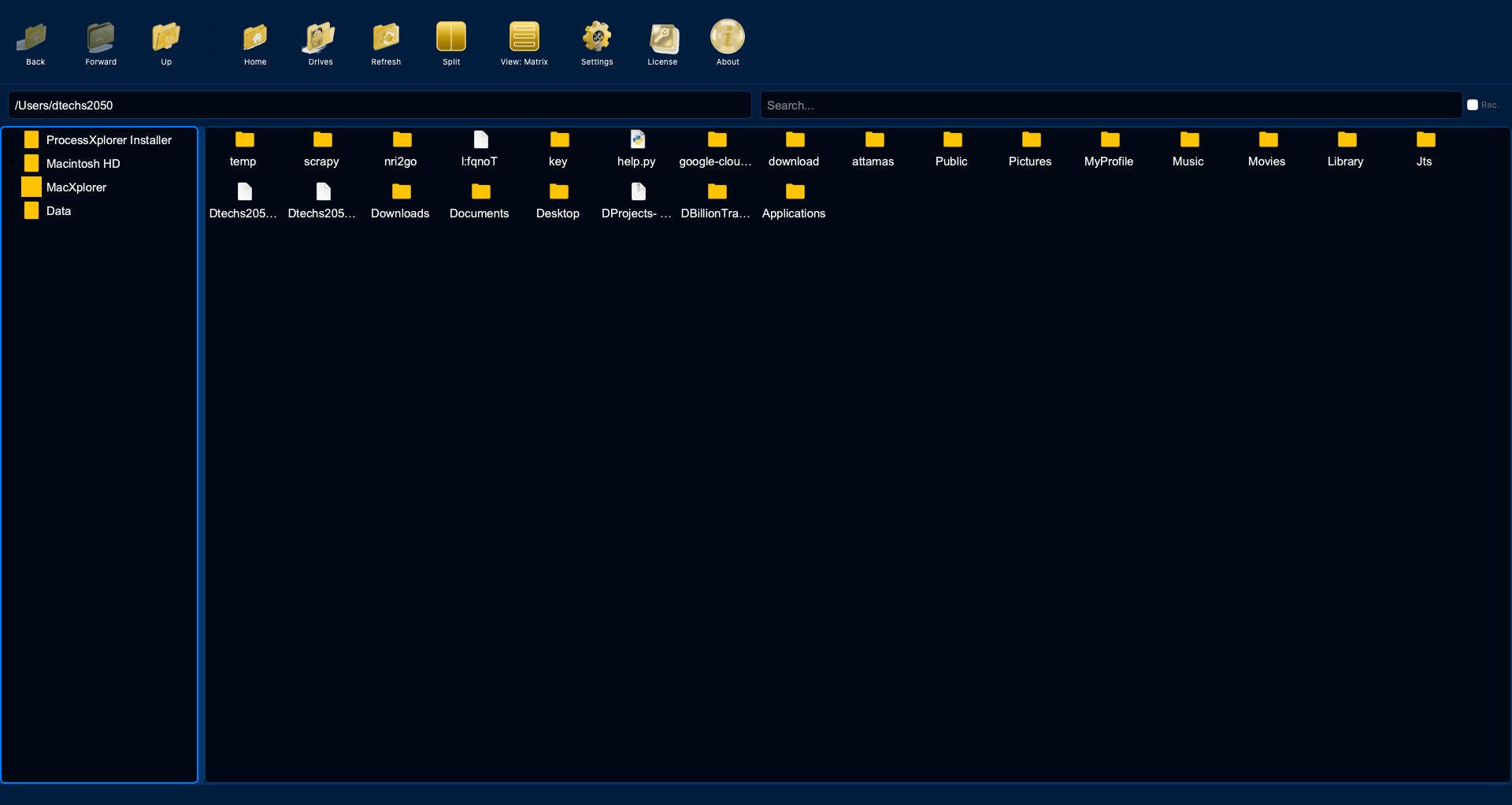
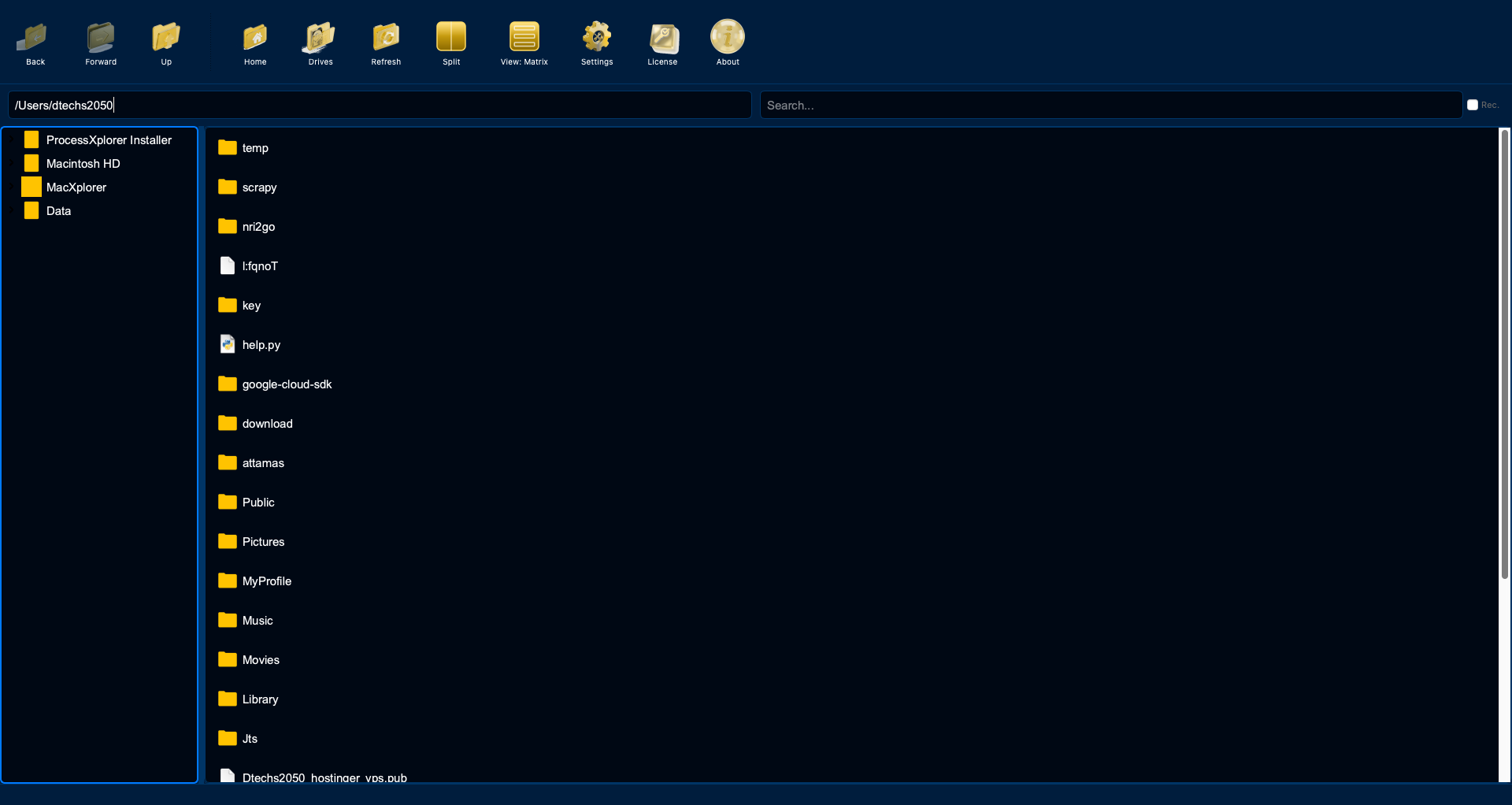
List (detailed columns), Icon (matrix grid), Ordered (structured), and Tree views. Each optimized for
different workflows. Switch instantly with keyboard shortcuts or toolbar buttons.
🔍
Advanced Search & Filtering
Multi-threaded recursive search with real-time results. Filter by extension, date, or regex patterns.
Folders-only mode. Case-insensitive search. Cancellable operations.
🎯
Drag & Drop Mastery
Professional drag previews with file icons and item count badges. Smart drop handling with Move/Copy
dialog. Automatic conflict resolution. Multi-selection with rubber band.
📝
Batch Operations
Rename hundreds of files simultaneously. Move large directories in bulk. Change permissions for
multiple items. Smart copy with duplicate handling and conflict resolution.
⌨️
Keyboard Shortcuts
F2 to rename with smart text selection. Delete/Backspace to trash. Cmd+C/V for copy/paste. Cmd+A
select all. Enter to open. Full keyboard navigation for power users.
🌈
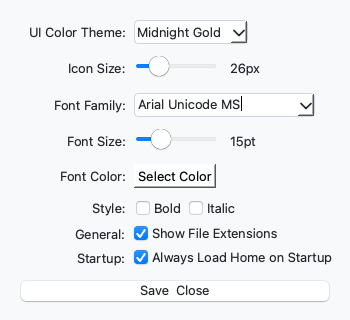
8 Premium Themes
Midnight Gold, Blue 3D, Charcoal Slate, Coffee Bean, Cyber Orange, Emerald Forest, Lavender Night,
Nordic Snow, Rose Garden. Theme-aware icons that adapt to your selection.
✏️
Inline Renaming
F2 key support with intelligent text selection. Auto-select filename without extension for files.
Full name selection for directories. Instant rename without dialogs.
📊
File Properties
Detailed file information dialog: Size, Type, Location, Created/Modified dates, Permissions (Read,
Write, Execute). Quick access via context menu or keyboard shortcut.
🎛️
Extensive Customization
Font family, size (8-36pt), color, bold, italic. Icon size slider (16-64px). Show/hide file
extensions. Always load home on startup. All settings persist automatically.
🧭
Smart Navigation
Breadcrumb path traversal. Back/Forward history (browser-style). Home button for instant return.
Parent directory quick access. Favorites/bookmarks for frequent folders.
⚙️
Context Menus
Right-click operations: Open, Rename, Delete, Copy Path, Show Properties, Open in Finder. Quick
access to all file operations without touching the keyboard.